CC licences on LearningLib.org – here's how!
This page takes you through some central considerations about your learning resource and copyright.
LearningLib.org is an “Open Educational Resource (OER)” and we encourage you to consider how you share your learning material and learning resources by adding a CC licence (see more below). When you have chosen to use LearningLib.org, you have actively chosen to make your material open to other information specialists. You have also chosen that the material may be shared with students or others. As the author of the material, you decide on what terms others may reuse and share your material. In order to add a CC licence to a learning resource, you have to be the author of the resource. Perhaps in collaboration with others? In that case you must agree on the licence you use.
What are CC licences?
CC stands for Creative Commons and is a global non-profit organisation which for more than 20 years has worked for open access to digital material. Creative Commons has developed CC licences which help you set out criteria and terms for the material you create digitally. The CC licences also make it easy for others to share, reuse or develop the material further on terms that you decide.
CC licences consist of the following 4 elements:
 | BY: You will find this icon in all CC licences and it is the most open licence. BY: This means that some form of ”credit” must be given to the creator of the work. |
 | SA: This icon stands for ShareAlike This icon means that if you use and adapt the work, you must share it under the same licence. |
 | NC: This icon stands for NonCommercial. The icon indicates that the shared work is only available to someone who will not use it commercially. |
 | ND: This icon means NoDerivatives. ND means that adaptations and reworkings of a work may not be shared. |
These 4 icons can be combined in the following way, which indicates how material may be used:
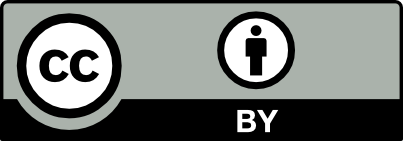 | CC-BY is the most open licence and with it, it is OK for others to find your material and share it, remix, adapt or build on it. It is also OK for it to be used commercially – but credit must always be given to you as the creator of the material. |
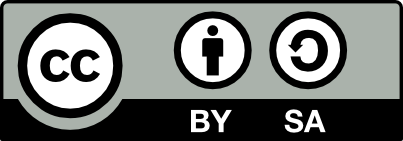 | CC-BY-SA likewise allows others to find your material and share it, remix, adapt or build on it. It may also be used commercially. Credit must always be given to you as the creator/author, and with ShareAlike you indicate that any adaptation is shared on the same terms as your work. |
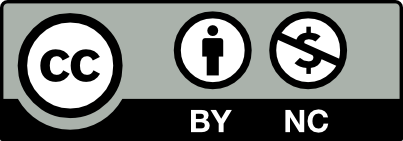 | CC-BY-NC makes it possible for the material to be shared, remixed, adapted or built on – but it must be for non-commercial purposes and only if credit is given to the creator. |
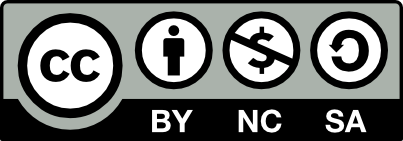 | CC-BY-NC-SA makes it possible to share, remix, adapt or build on the material. It must be non-commercial and credit must be given to the creator, just as it must be shared on the same terms as the original material. |
 | CC-BY-ND allows others to copy and distribute the material – but only without it being adapted, and credit must be given to the creator. It can also be done commercially. This licence is not considered to be in line with the definition of OER, since it does not allow remixing, adapting or building on it. With ”adaptation” you may, however, change some things with this licence. For example, you may change from one medium to another (from digital to print) or you may change minor things, such as spelling mistakes, comma placement or punctuation. That is to say, you may share a video from LearningLib.org that has a CC-BY-ND licence and change minor things, such as a spelling mistake. |
 | CC-BY-NC-ND allows you to copy and distribute the material – but only without it being adapted, and credit must be given to the creator. You may not do it commercially. This licence is not considered to be in line with the definition of OER, since it does not allow remixing, adapting or building on it. With ”adaptation” you may, however, change some things with this licence. For example, you may change from one medium to another (from digital to print) or you may change minor things, such as spelling mistakes, comma placement or punctuation. That is to say, you may share a video from LearningLib.org that has a CC-BY-ND licence and change minor things, such as a spelling mistake. |

Picture from: “Open Access /5.3 Creating and Sharing OER” by Creative Commons. CC BY 4.0
In addition to the 6 licences mentioned above, there are also two other tools:
 | With CC0 you can, as the author, decide to make your material ”free of copyright”. That is to say, by using this icon you indicate that everyone may copy, adapt, change, distribute and use it – including commercially. |
 | The Public Domain Mark is used for material that is free of copyright restrictions. It differs from CC0 in that it has no legal bindings when it is added to a work. It is added to works where something is known to be outside copyright. For example, if a museum digitises an old painting that is more than 140 years old. In Denmark the rule of thumb is that something is ”free of copyright” when it is more than 140 years old. |
All the icons used are taken from: https://creativecommons.org/mission/downloads/
Test yourself on the licences below.
What do I need to think about?
When you develop a resource on LearningLib.org, familiarise yourself with what applies regarding CC licences and ask yourself how you can see your material being used.
Would it be OK for your resource to be shared commercially by, for example, a publisher or a company that can see a use for your material in communication – and that credits you?
Are you not interested in your material being built on and shared under a new licence?
REMEMBER that as the author of the material you are the one who decides under which licence you want to share. If several of you are developing and building a learning element – then agree on how you want to share it. A CC licence cannot be withdrawn, but you can stop sharing your material under a CC licence, although you cannot change copies of your material that are already in circulation.
Can my resource consist of material from several licences?
Yes, when you develop a learning element you can use other material that has CC licences, but not all CC licences can work together.
The table below gives an overview of how you can combine licences:

CC License Compatibility Chart / CC BY 4.0
Read more about the CC-License Compatibility Chart here.
If you have remixed/adapted learning elements with different CC licences it becomes more advanced. Here you have to consider what options you have for giving your resource a CC licence. This is called the Adapter’s licence, and via the table below you can see what your options are. If the learning object you are building on has one of the licences on the left-hand side of the table, you can publish your own under one of the licences marked in green. It is not advisable to license under one of the yellow boxes, even though it is technically possible (see more here “[Using CC Licenses and CC-Licensed Works / 4.4 Remixing CC-Licensed Work]” (https://certificates.creativecommons.org/cccertedu/chapter/4-4-remixing-cc-licensed-work/) by Creative Commons. CC BY 4.0. The grey boxes cannot be used.

CC Adapters License Chart. Found here: https://certificates.creativecommons.org/cccertedu/chapter/4-4-remixing-cc-licensed-work/
How do I add the licence to my learning resource?
In LearningLib.org you add your licence at the bottom of your learning resource.
You can see an example in this learning resource.
In this guide you can see how you create a table.
Creative Commons has a ”License chooser” which gives you the option of getting help to choose the right licence, and you can generate text and a link to the licence.
By using this you can also get a ”third layer” on your licence, since you get a machine-readable code behind your chosen licence. This machine-readable layer means that search engines can search for material that has a CC licence applied to it.
If you would like to remix and build on a learning element that already exists in LearningLib.org (and where the licence allows it), you have to be logged in (you can request a login here) and then a “Copy this” option will appear at the bottom of your screen.
Checklist – have you considered?

- Do you hold the copyright to the learning resource you want to share on LearningLib.org? This matters for whether you can assign a CC licence.
- Does your learning resource contain something others have created – are you allowed to put it into your learning resource? Do you need to obtain permission to use any of it?
- How do you hope your material will be used? That matters for the choice of licences.
- Check the different licences – see further explanation of them on the Creative Commons website.
- Are you combining your resource with other material that is subject to a CC licence? Then check whether you can do this using adaptations.
- You cannot revoke the CC licence you have given your learning resource, but you can stop sharing your resource.
See also these learning resources:
Using CC Licenses and CC-Licensed Works
A short presentation about Copyright Law, Intellectual Property and Public Domain
| Developed by: | Solveig Sandal Johnsen Det Kgl. Bibliotek | CC licences on LearningLib.org – here's how! © 2025 by Solveig Sandal Johnsen is licensed under CC BY-NC 4.0    |