Tips og tricks
H5P content
Når du vil tilføje nogle særlige indholdstyper, som ikke findes i WordPress-blokkene (som f.eks. en quiz) kan du lave et H5P objekt som derefter kan tilføjes dit læringsobjekt som html-kode.
In the left menu of the WordPress interface you will find H5P.
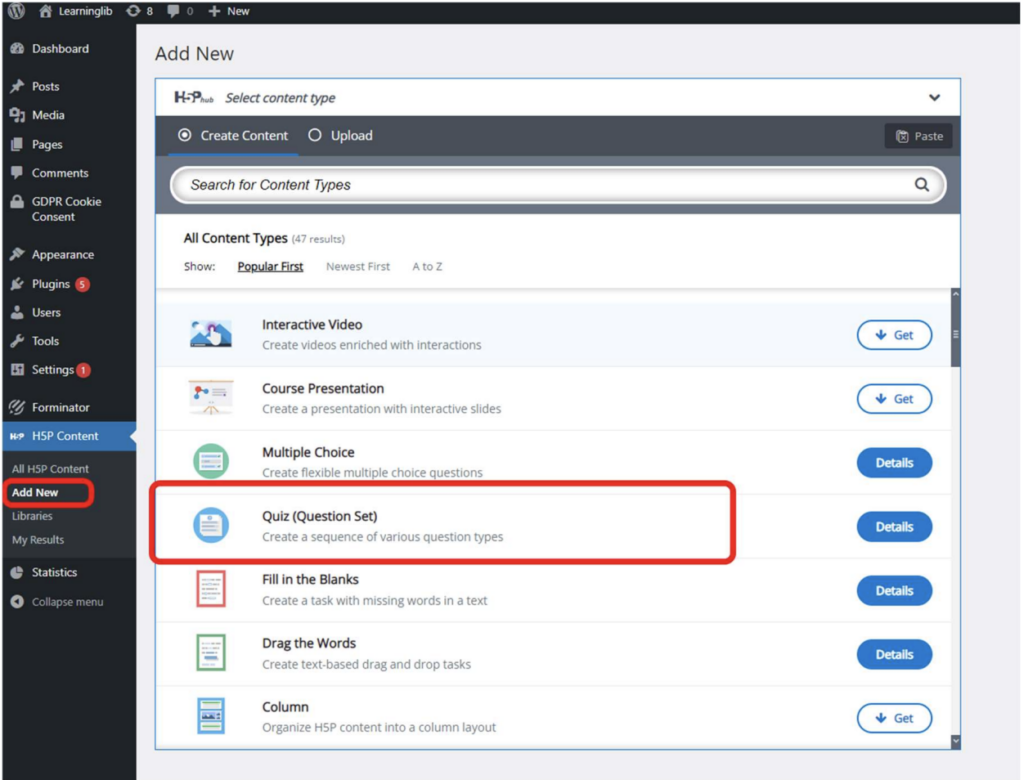
Click Content -> Add New.
Her kan du se en liste over H5P-indholdstyper, som kan bruges i dine objekter. Den mest brugte er Quiz (Question Set). Det er et H5P element, som indeholder flere af de andre H5P indholdstyper.
Here we show how you build a quiz, but there are many different H5P options.
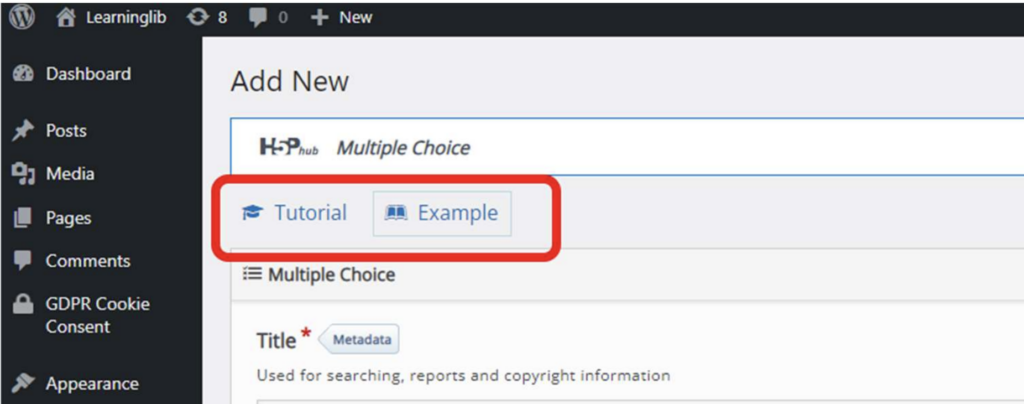
Hver gang du opretter en ny H5P indholdstype, er der links til en tutorial og et eksempel på toppen af siden – der er også en liste over de vigtigste here.
Choose Quiz (Question Set) and give your Quiz (Question Set) a title.

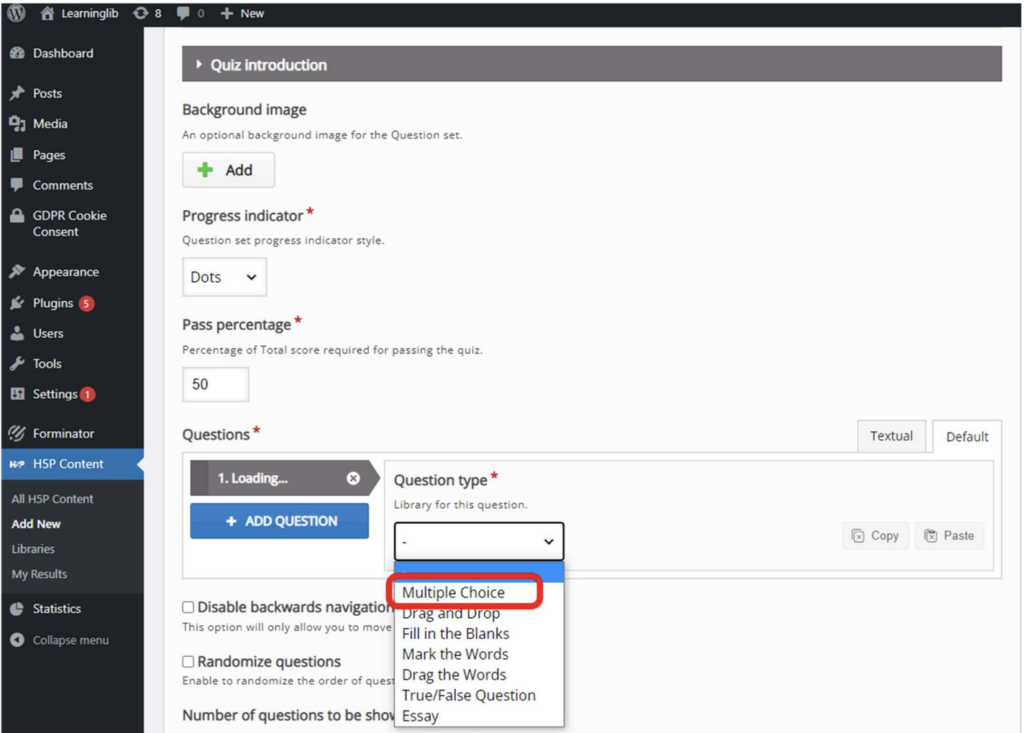
Scroll down to Questions section and choose Question type > Multiple Choice.
Write your question in the Question field and your answers in the following Text felter. Du kan tilføje tekst som vises, når bruger har valgt et svar i Message displayed if answer is selected
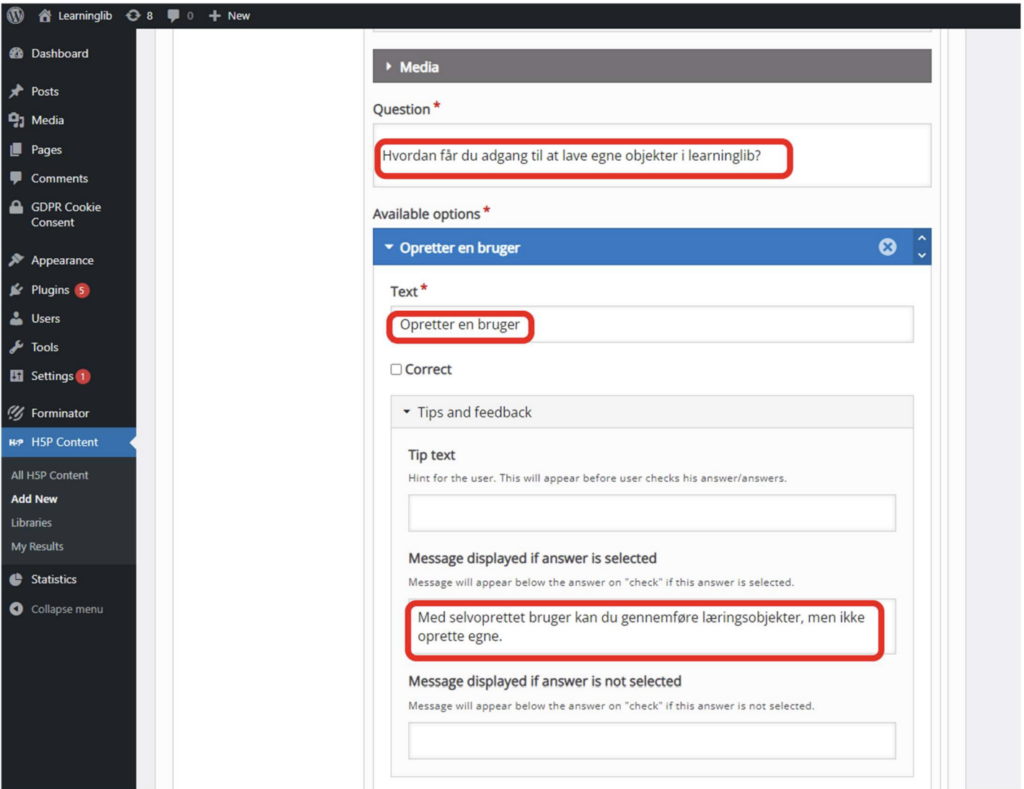
Put a tick under Correct, by the correct answer.
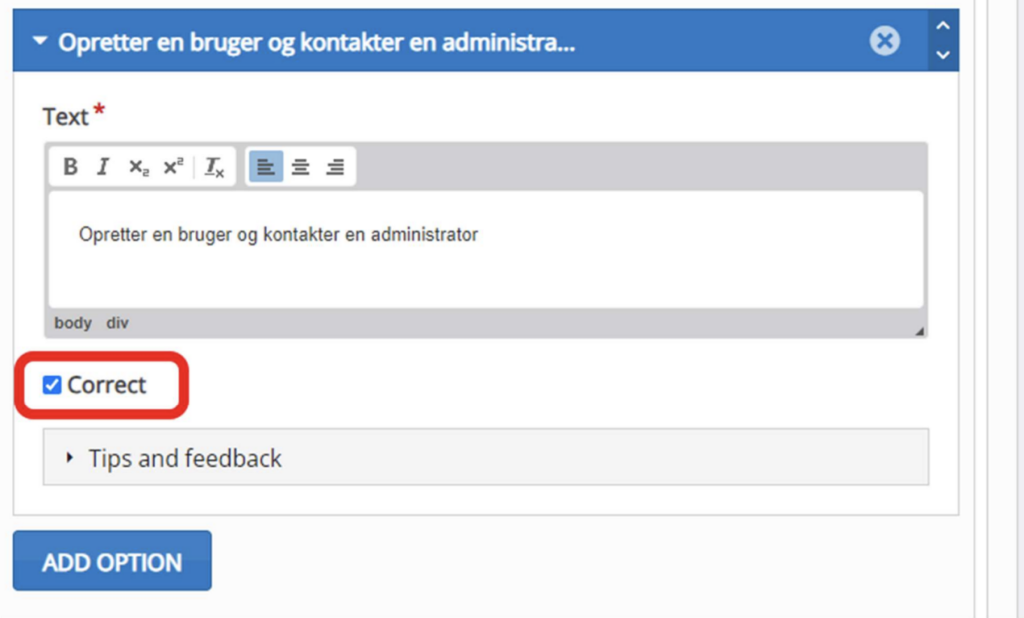
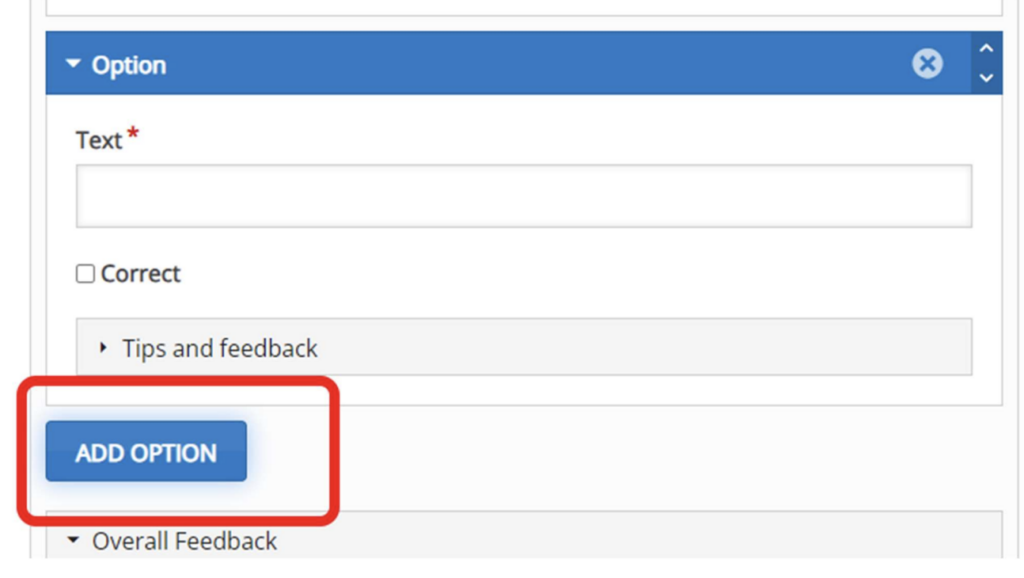
Har du brug for mere end to svarmuligheder, skal du klikke Add Option
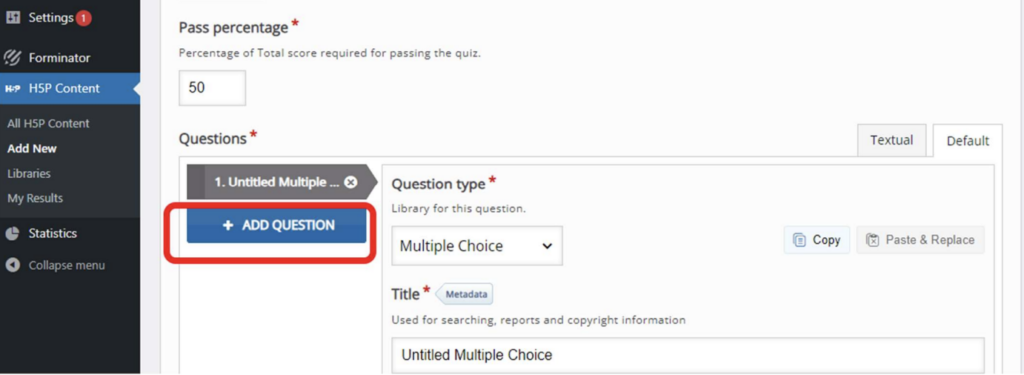
You can add more questions to the quiz via the Add Question button
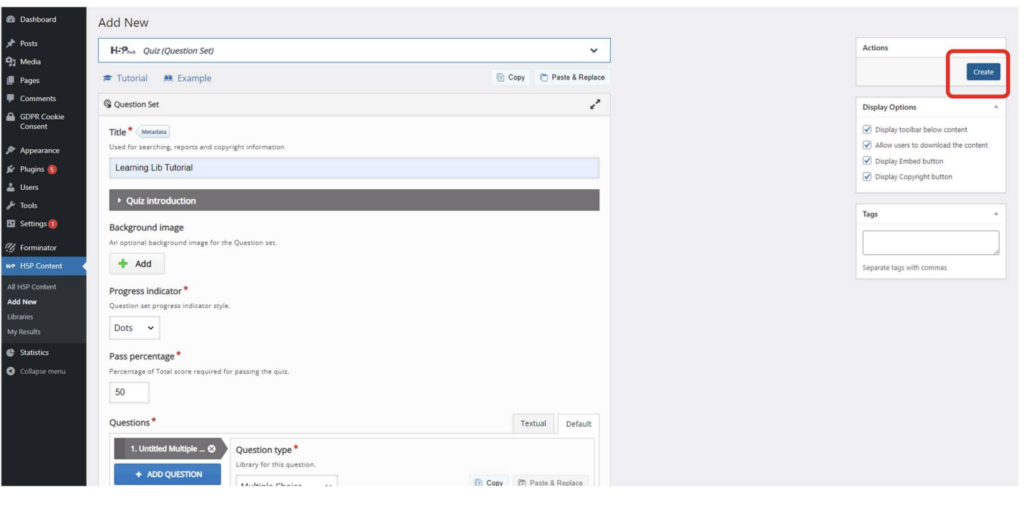
Når du er færdig med H5P-objektet og vil have det knyttet til det læringsobjekt, du er ved at lave, eller hvis du blot vil embedde det på en intranetside, så scroll op i toppen af siden og klik på Create.
Derefter kan du afprøve din nye quiz. Til højre kan du se en Shortcode. You need to copy it.
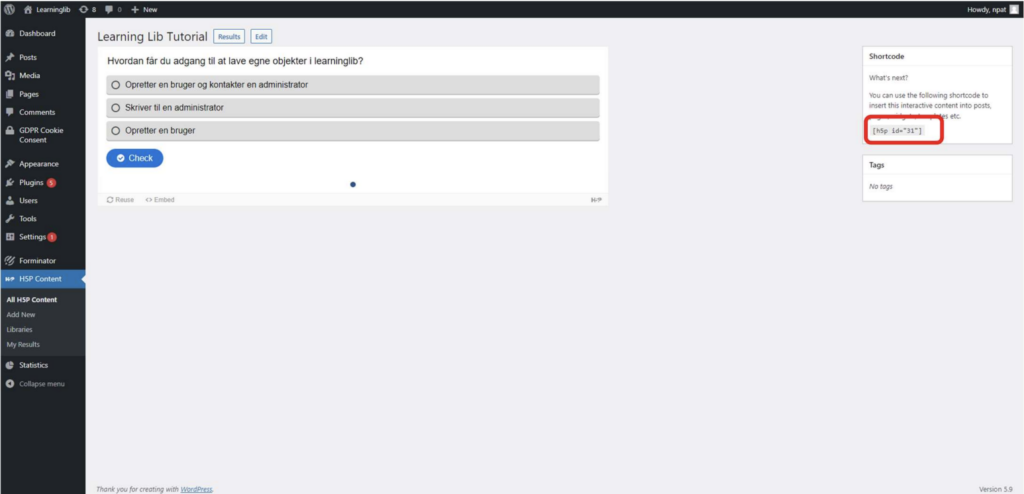
Shortcoden you insert into your learning object in the block type called Custom html.
On https://h5p.org/ there are descriptions, examples and tutorials about each H5P content type.
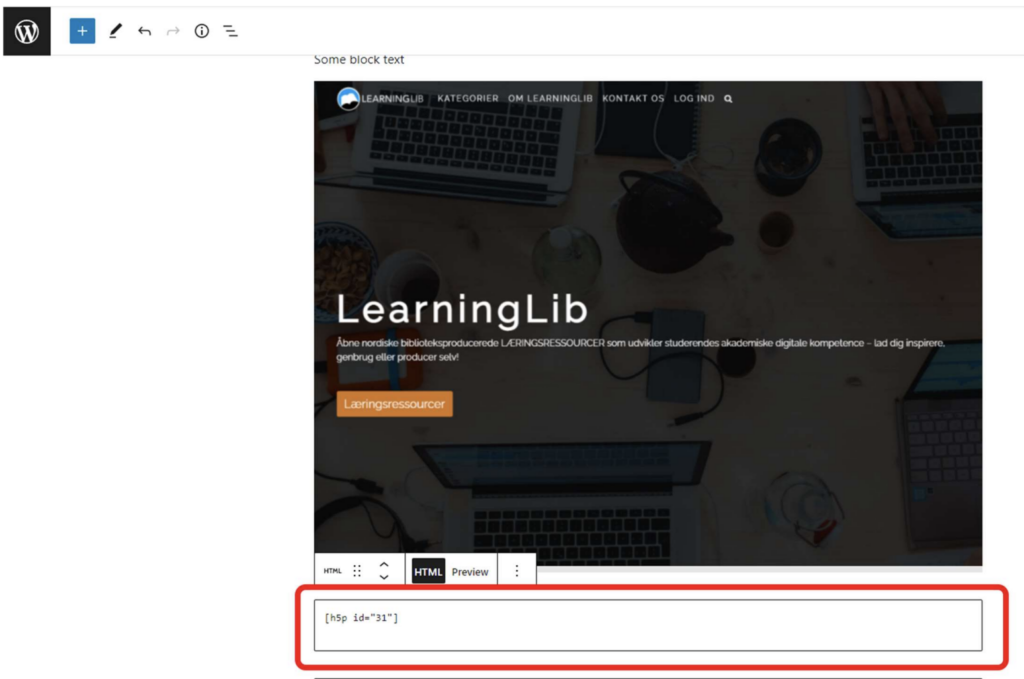
Embed objects in LMS’s or LibGuide
You can also embed your H5P elements in places other than your LearningLib learning object, e.g. on an intranet, LMS’s and similar.
Here you can see how to embed H5P in Absalon.
Here is a guide to how you embed H5P in Brightspace (click “Overview of H5P”).
Her er en guide til, hvordan du embed an H5P object in LibGuide.
H5P-skabeloner
Here is also an overview of some good H5P templates for angling quizzes in different directions, depending on need:
You can see all the H5P templates we can get access to here: H5P – Examples and Downloads.
If you find an H5P template on this page that is not in the H5P catalogue, then contact us and state which template you need.
Billedbanker og ikoner
Good, free images from Unsplash that you can download and use for any project.
Good icons that are easy to get hold of and use
Free icons, small images and stickers from FlatIcon for your projects.
Burst er et gratis billedbibliotek, der drives af Shopify. Billedbiblioteket indeholder tusindvis af royaltyfrie billeder i høj opløsning med let adgang.